

What are entitlements?
Entitlements are access rights, permissions, or privileges to resources in an application. For example, entitlements can include:- Membership to a group
- Read access to a data table
- Assignment of a role
A special entitlement: Access
Every managed application in C1 comes with a built-in resource and entitlement: the Credential resource and the Access entitlement. The Access entitlement references all accounts in the application, which lets C1 treat account membership like any other entitlement. For example:- If you want to make new accounts requestable in C1, set the corresponding access controls on the Access entitlement.
- If you want to run an access review on anyone who has any account in an application, select the Credential for the application.
Creating entitlements
Entitlements are created automatically when connector or file data is ingested into C1. Connectors identify resources inside the application — roles, groups, and similar objects — and sync them along with their corresponding entitlements to C1. If you need to manually create an entitlement for a resource, you can create a virtual entitlement:Customize columns and export to CSV
Use Configure columns in the Entitlements table header to adjust which columns are visible — toggle columns on or off and drag to reorder. Your layout is saved automatically. To export entitlements data to CSV, click Generate CSV above the Entitlements table. The Download to CSV drawer opens where you can choose which columns to include before generating the file.Managing entitlements
To manage an entitlement, navigate to the application, click the Entitlements tab, and click on the entitlement to open its detail page. From there, you can:Rename the entitlement
In C1, entitlements are displayed next to their resource as a short label called a slug. The slug describes the access right or permission the entitlement grants.Entitlement slugs are set automatically by connectors, but you can edit most of them. The exception is the credential resource, which has a single Access entitlement that cannot be renamed.
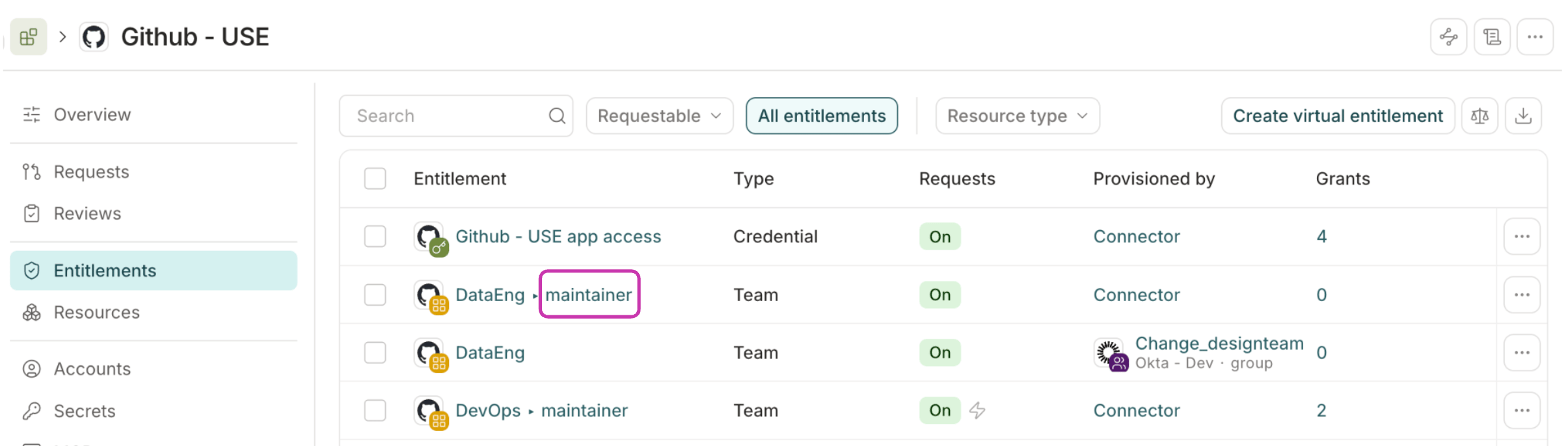
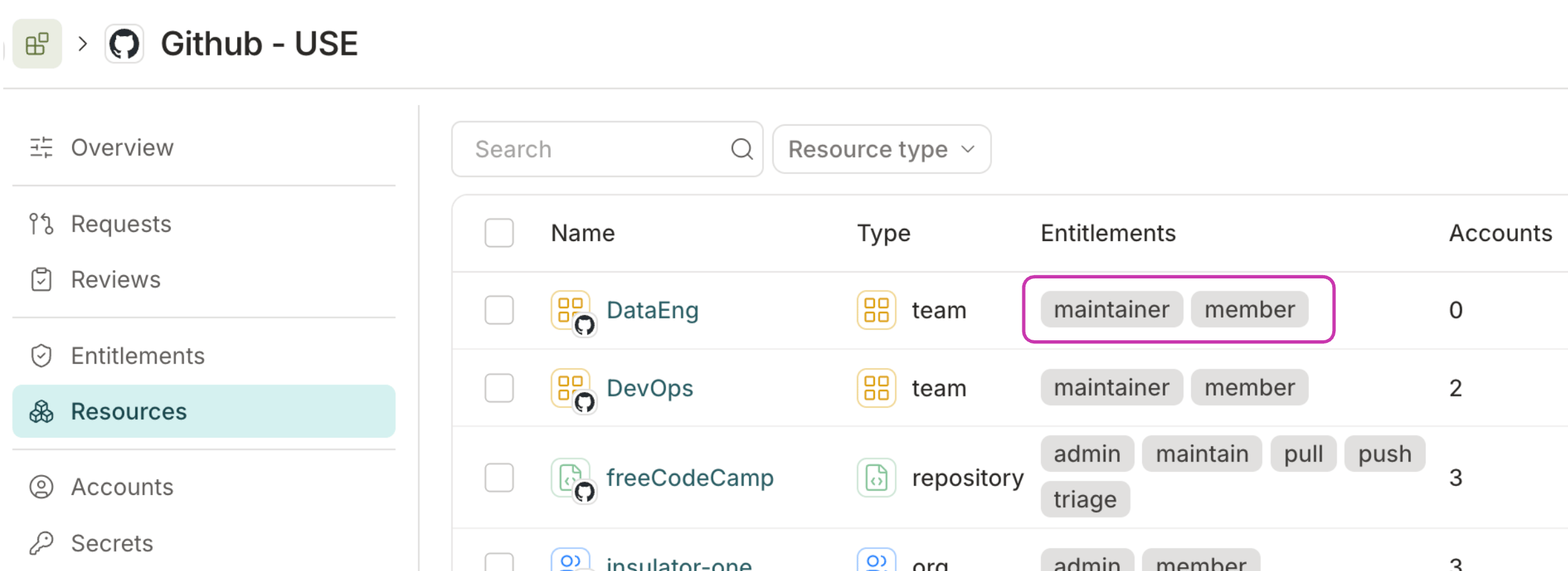
Manage entitlement owners
Entitlement owners can be the target of policy approval steps — for example, you can require an entitlement owner to approve access requests for sensitive data or roles. You can assign entitlement owners in two ways:- By user: Add specific C1 users as direct owners.
- By entitlement: Add any entitlement from a connected app. All users currently assigned that entitlement automatically become owners, and ownership updates as users are granted or removed from the entitlement.
In the Select owners window, use the Users tab to add or remove user owners, or the Entitlements tab to search for and add entitlement owners.You can mix and match user and entitlement owners as needed.
Add annotations to the entitlement
At the top of the entitlement’s Details page you’ll find an Annotations field, where you can attach custom key/value metadata to the app — useful for tracking cost centers, compliance scope, or IaC management state. Learn more about annotations.Set entitlement attributes
You can create custom risk levels and compliance framework tags, and apply these tags to entitlements. You can then sort and select entitlements for access reviews and access profiles by compliance framework or risk level. To create attributes:In either the Compliance framework or Risk level field, type the name of the value you wish to add and press Enter.
Repeat the process, adding additional attribute values as needed. Click the x next to any value to remove it from the list.
You can now filter entitlements by attribute when creating an access review campaign or access profile.
Set an entitlement alias
Aliases are shortcuts you can add to entitlements. They let you reference an entitlement by a short, memorable name — for example, when using the C1 CLI tool to request access. For example, in the commandcone get aws-prod, aws-prod is the alias mapped to a production AWS role.
To set an alias on an entitlement: